 JobberOn
Stop losing money in the field.
Ghost visits, inflated expenses, wasted trips and hours of admin quietly drain field operations. JobberOn proves every visit with GPS, photos and geofences — so you cut losses, settle expenses faster, and save hours every week. Online or offline.
Field operations lose money in ways you can’t see.
JobberOn turns invisible leakage into a number on a screen — and then closes it.
Ghost visits & fake attendance
“Done” with no proof. Geofence + GPS + selfie flag every completion outside the site — automatically, the moment it happens.
Inflated & slow expenses
Receipt-photo claims + a four-eyes approval loop catch padded and duplicate claims before they’re paid — and clear the backlog.
Hours lost to admin
No more chasing registers and WhatsApp photos. A live board + one-click exports for payroll — hours back, every week.
Everything the field does — captured, verified, in one place.
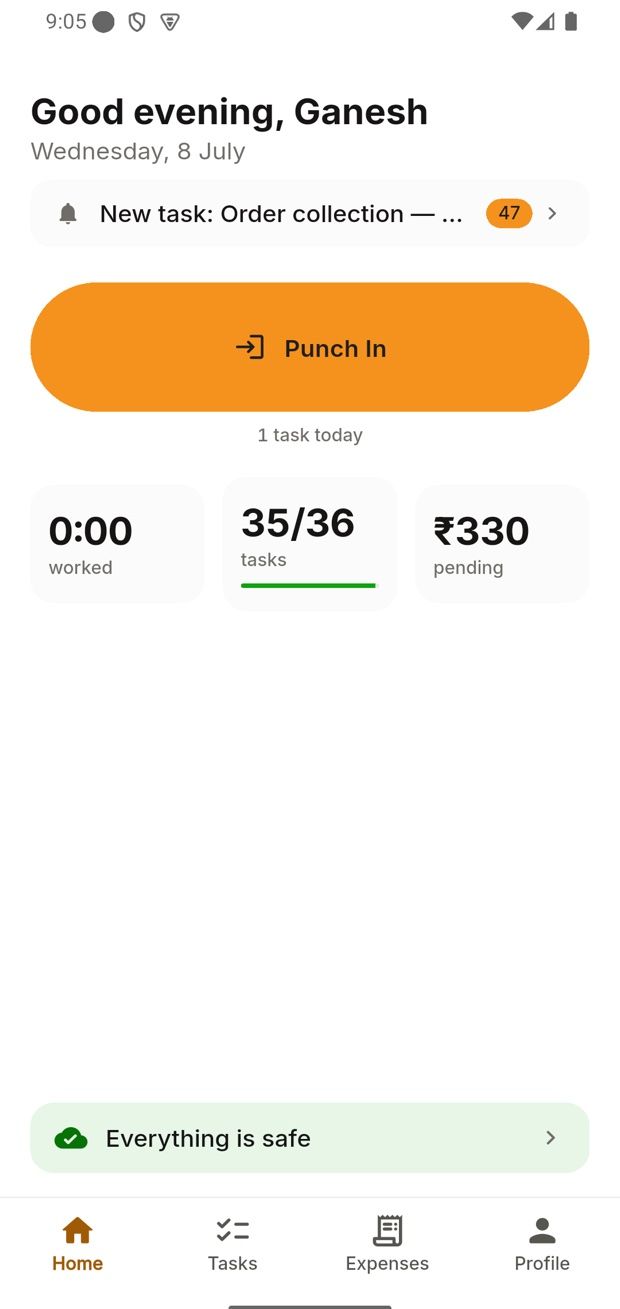
Field staff work the day on the mobile app. You watch it live in the console, then export clean data for payroll and ops.
GPS + selfie attendance
Every punch carries a timestamp, location and selfie — who’s working, and where, without a register.
Tasks that close with proof
Assign work to anyone, anywhere. Each task finishes with camera-only photos and a geofence check — no “done” without evidence, and an instant flag when a completion lands outside the site.
Custom forms
Order forms, audits, surveys — built once, filled on-site, even with no network.
Field expenses
Claim from the field with a receipt photo; managers approve with a four-eyes check and full audit trail.
Live console & exports
Dashboards, timelines and one-click CSV exports for payroll and operations.
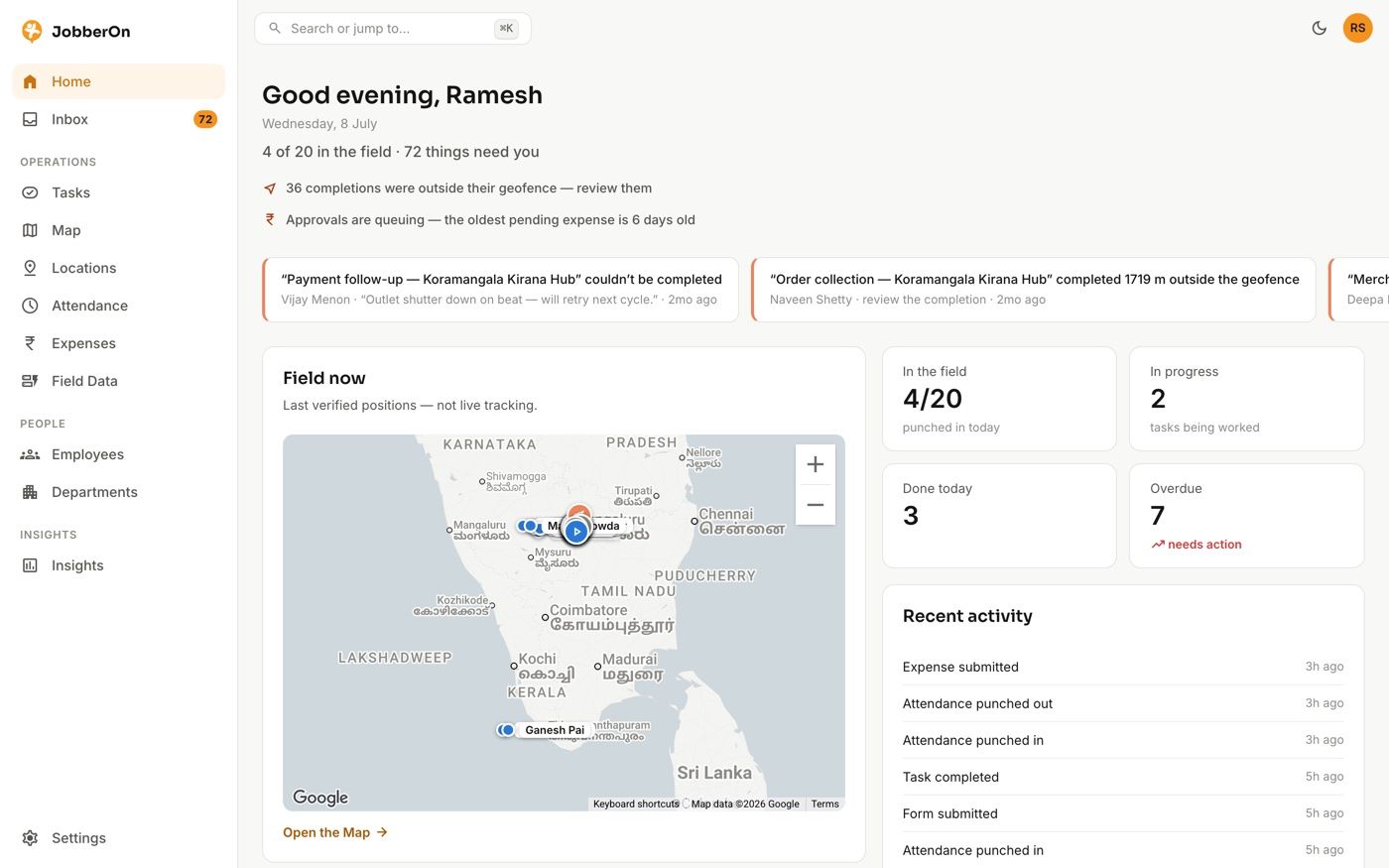
Not mockups — the actual console.
Live screens from JobberOn, in the theme you’re viewing. Toggle dark mode up top — they follow.
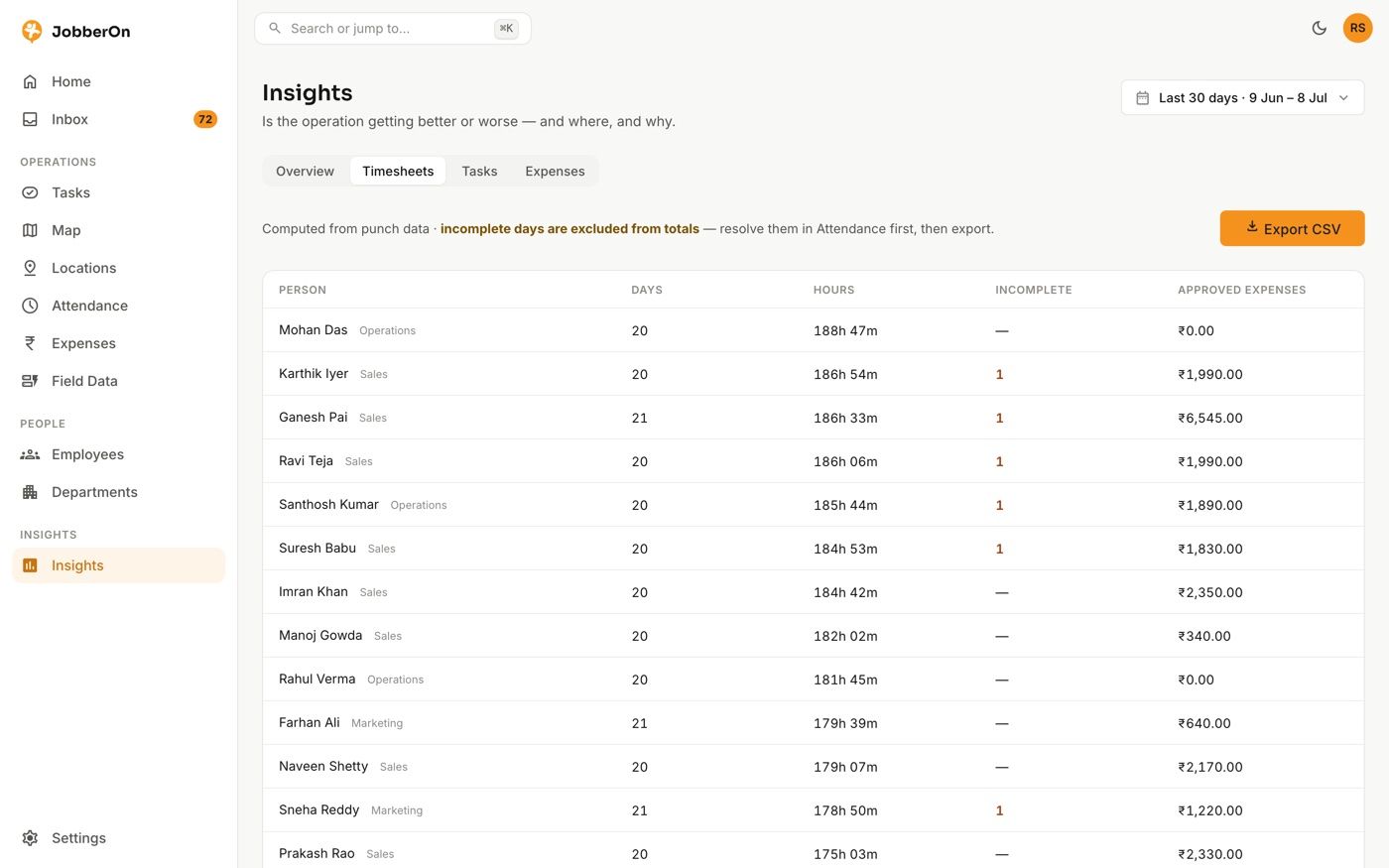
Insights that pay for themselves
Spend, attendance and completion trends at a glance.
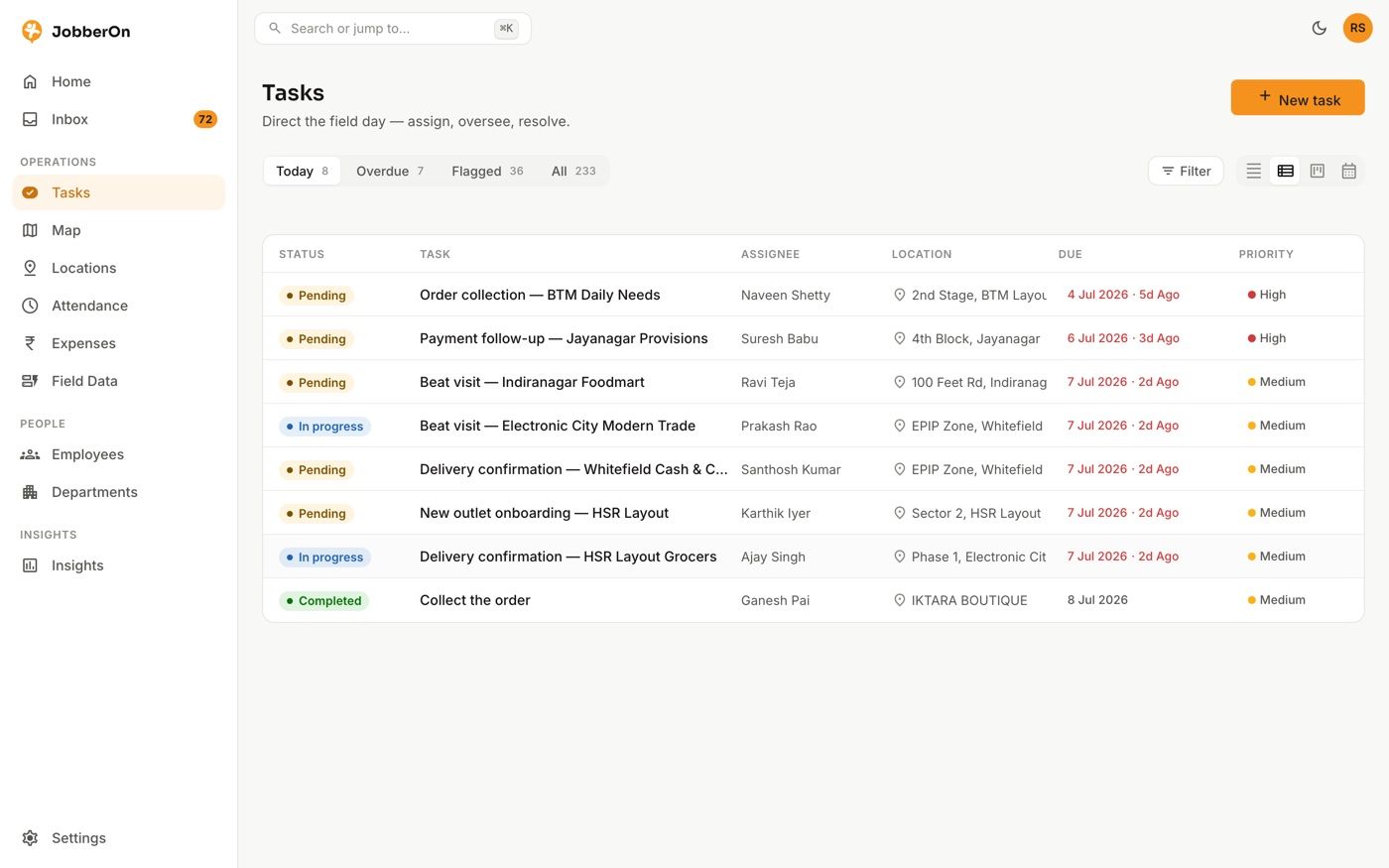
Every task, with its proof
Status, evidence and geofence flags in one board.
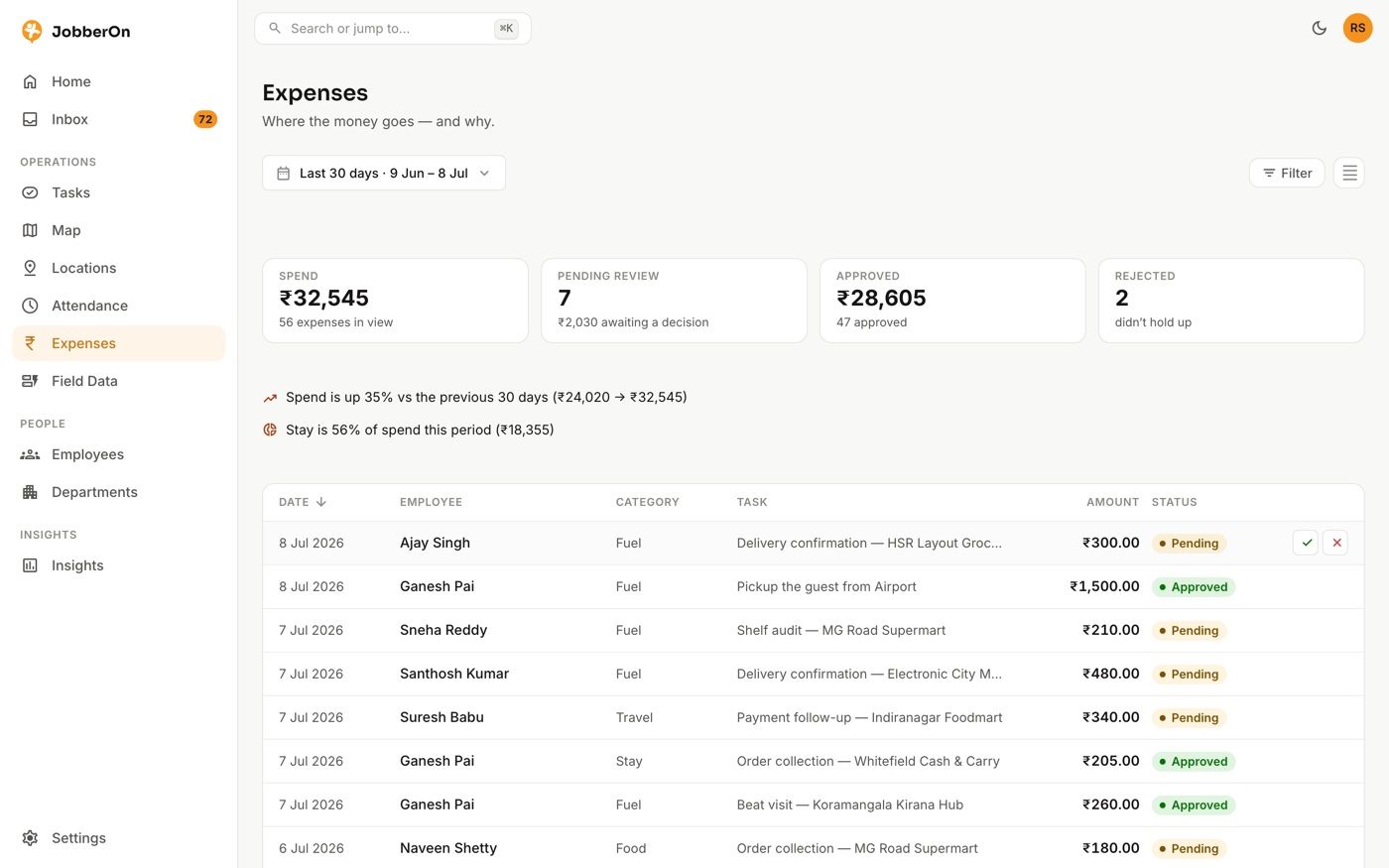
Approvals without the back-and-forth
Review receipts and decide, with an audit trail.
Live in a day — not a quarter.
Set up team & sites
Add employees, departments and locations in the console. Assign forms and tasks per role.
The field works the app
Staff punch in, run tasks with photo + GPS proof, fill forms and claim expenses — online or offline.
You see & approve, live
Watch the day on the board, approve expenses, and export clean data for payroll.
Built for the field, not the office.
Salesmen on routes, technicians on sites, merchandisers in stores — JobberOn is made for the people who work where you can't see them.


What JobberOn changes.
Representative scenarios based on how the platform works — real named case studies land as our pilots complete.
A distributor cut cost
Receipt-photo claims + four-eyes approvals ended padded fuel and stay expenses across 40 field reps — spend dropped within the first month.
A team reduced losses
Geofence + GPS + photo proof made “done-without-doing” impossible. Completions outside the site are flagged and reviewed the same day.
Field sales got organised
Route sites, order forms and a live board gave managers real coverage — more outlets visited, cleaner data, better results.

Not a promise — a screen. The console counts completions outside their geofence and queues them for review, the moment they happen.
What could you stop losing?
Assumes JobberOn recovers roughly two-thirds of typical leakage (ghost visits, padded and duplicate claims). An estimate, not a guarantee.
One price. Everything included.
No tiers, no feature-gating, no “contact sales to unlock it.” Every customer gets the whole platform, at one published price you can work out in ten seconds.
The full platform — attendance, tasks, expenses, forms, geofencing, both mobile apps and the web console. ₹129 is the introductory launch price; ₹249 regular.
- Every feature — nothing locked behind a higher tier
- A bill you set, not one you discover — same amount, same date
- A seat is a slot, not a person — reassign it any time, free
- Minimum 4 seats · add more any time, prorated
- 14-day free trial, no card · cancel anytime
Billed per seat, per month · minimum 4 · the price you start at is the price you keep. Over 50 field staff? Enterprise → · Full pricing →
Everything you might ask.
Does it work without internet?+
Yes — JobberOn is offline-first. Punches, tasks, forms and expenses are captured on the device and sync automatically when the phone is back online. Nothing is lost in low-network areas.
How does it stop ghost visits & fake attendance?+
Every punch has GPS and a selfie; tasks can require camera-only photos and a geofence check. Completions outside the site are flagged for review — so “done” always means done.
Which phones does it support?+
Android and iOS. There is an employee field app and a manager app, plus a web console for the office.
Is our data secure and private?+
Each company’s data is strictly isolated from every other tenant, and money is handled precisely with a full audit trail on approvals.
How does billing work?+
Per seat, per month — you choose how many seats you need and that is your bill, the same amount on the same date every month. A seat is a place for one active employee, and when someone leaves your next hire takes their seat at no extra charge. Start with a 14-day free trial, no credit card.
Put proof behind every field visit.
Start a free 14-day trial, or book a 20-minute demo and we’ll set your team up on a live account.