 JobberOn
Home — your daily pulse
A plain-language snapshot of the company’s day: who’s in the field, what needs you, and where money is going.
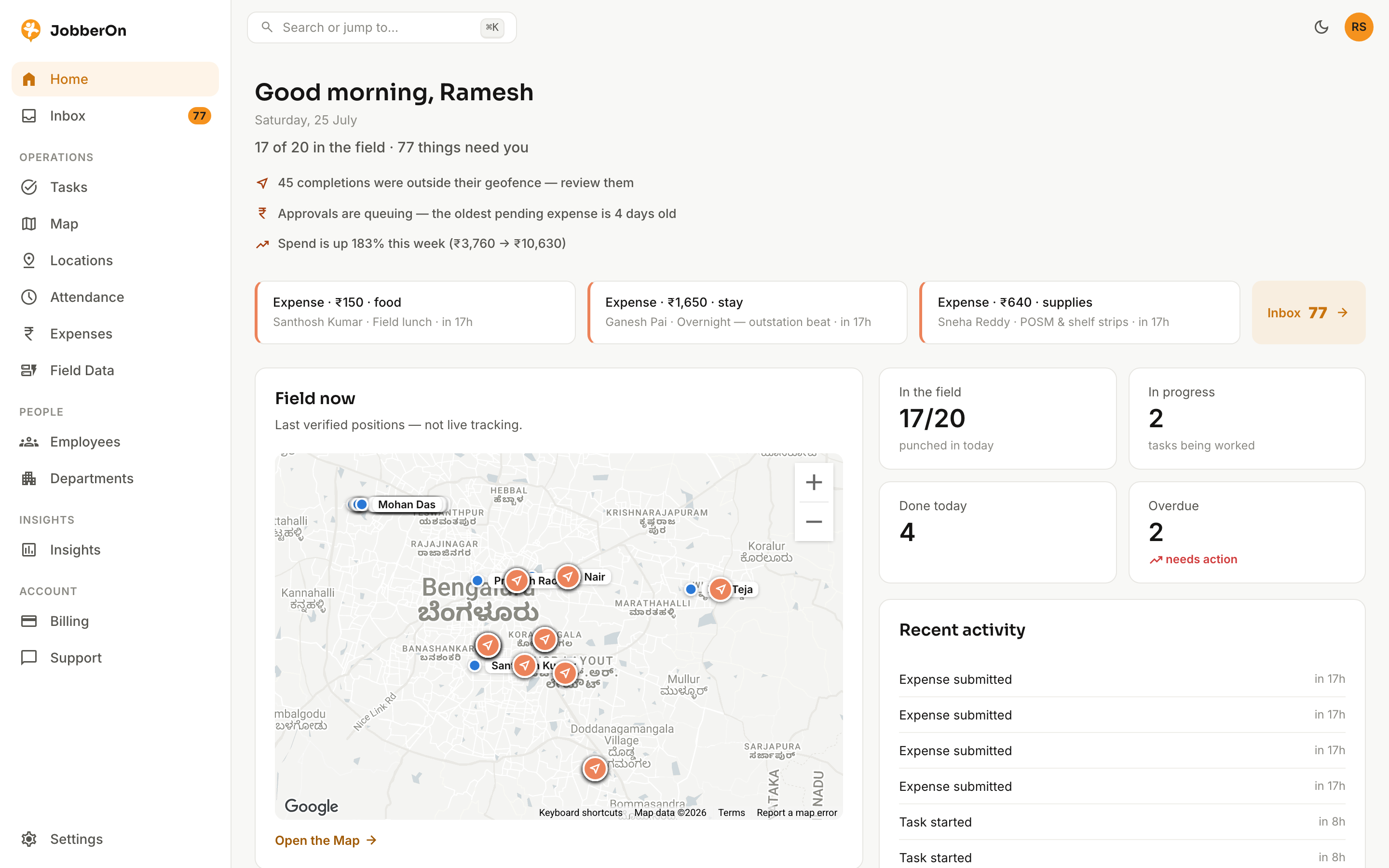
Home greets you with the state of your operation in sentences, not dashboards. It tells you how many people are in the field, how many things need a decision, and surfaces the exceptions worth your attention first.
How to use it
- 1Sign in — Home is your landing screen.
- 2Read the headline (“17 of 20 in the field · 77 things need you”).
- 3Scan the insight lines — geofence exceptions, ageing approvals, spend changes.
- 4Use the “Field now” map to see last verified positions.
- 5Jump straight into the Inbox, Tasks or Expenses from the cards.
What you can do
- Time-of-day greeting and a one-glance day summary.
- “Field now” map of last verified positions.
- Counters for in-field, in-progress, done today and overdue.
- A live recent-activity feed.