 JobberOn
Operations Inbox
One unified queue of everything needing a decision — approve, reject or resolve in place.
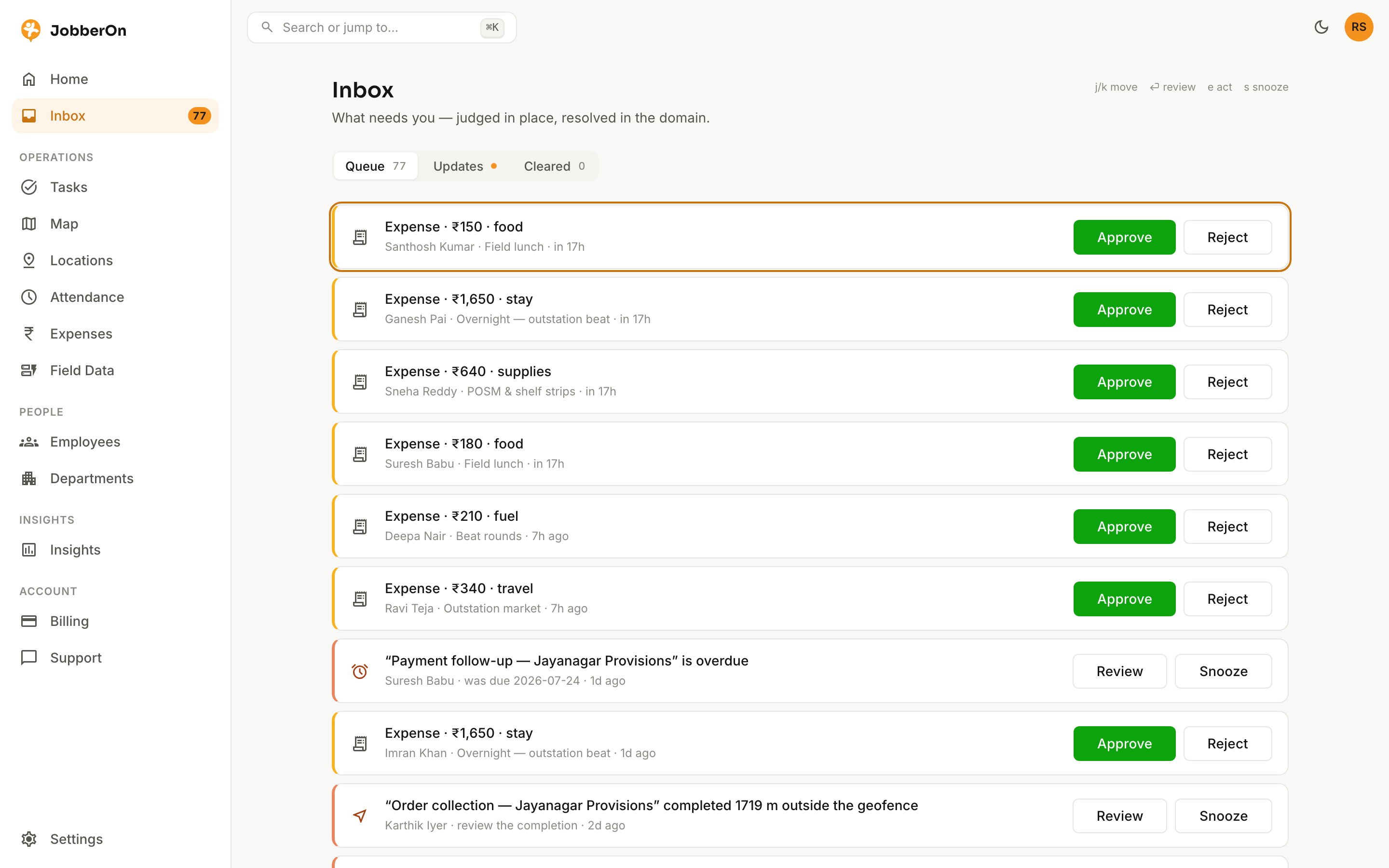
The Inbox is a single triage queue for everything that needs a human: expense claims, flagged task completions, and more. Clear it like email — and items only leave when they’re actually resolved.
How to use it
- 1Open Inbox from the left nav.
- 2Scan the unified queue of items needing a decision.
- 3Select an item to open its peek panel with full context.
- 4Approve, reject, resolve or reopen inline.
- 5Use keyboard shortcuts (j/k to move, ⏎ to open, e/r to act) to fly through it.
What you can do
- One queue for expenses, flagged tasks and more.
- Inline approve / reject / resolve / reopen.
- Keyboard-first triage.
- Peek panels with the full timeline for each item.