 JobberOn
Expenses — review & approve
Review field expense claims with receipt photos, approve or reject, and export to CSV.
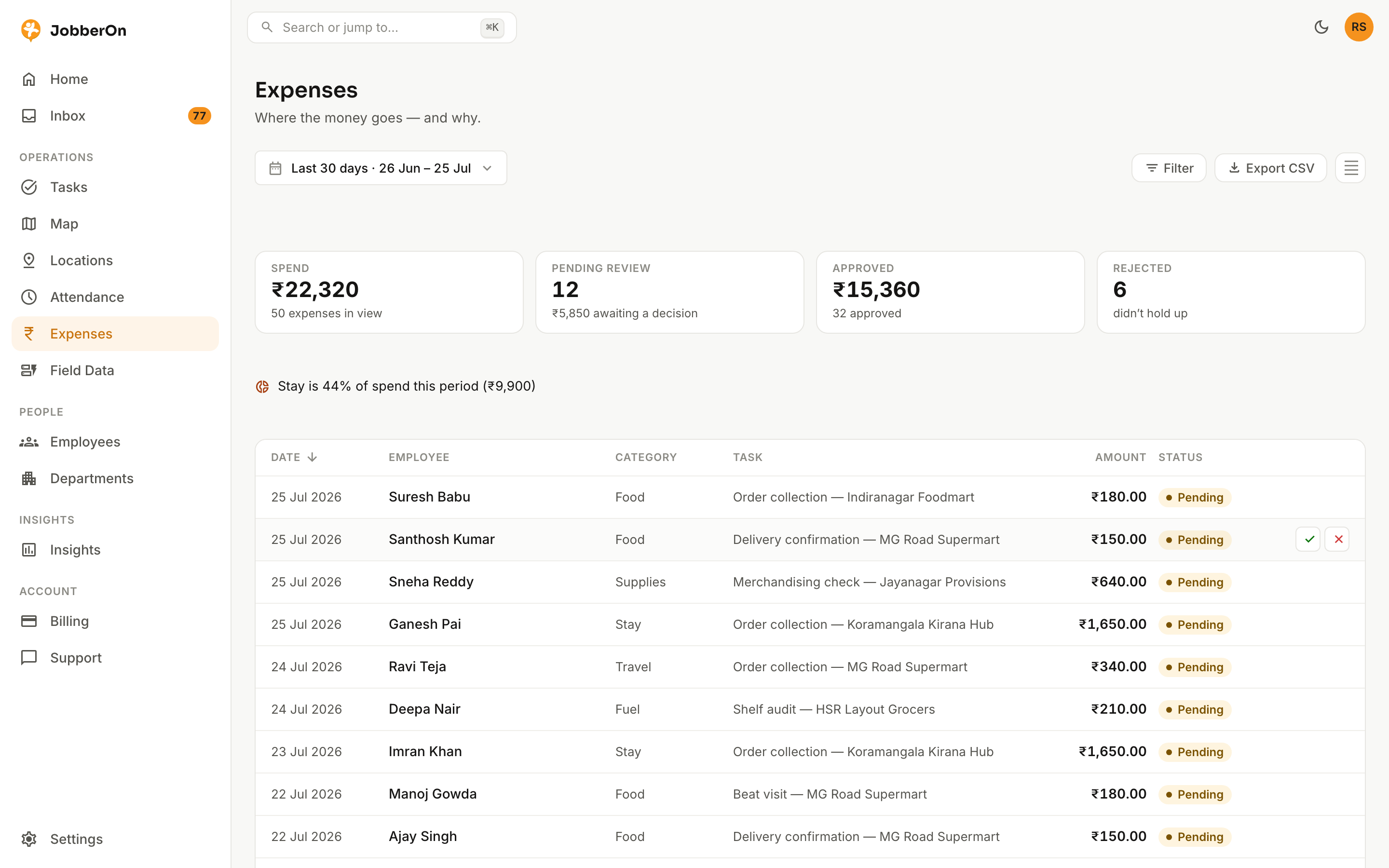
Expenses is the home for company spend. Every claim carries a receipt photo, category and the task it belongs to. Approve or reject with a full audit trail — and nobody can approve their own claim.
How to use it
- 1Open Expenses and filter by status, date or person.
- 2Open a claim to see the receipt photo, amount, category and linked task.
- 3Approve it, or reject with a reason the employee will see.
- 4Watch the summary strip update as you clear the queue.
- 5Export the filtered rows to CSV for accounting.
What you can do
- Receipt-photo review.
- Four-eyes approval — you can’t approve your own claim.
- Filter by status, category, person and date range.
- CSV export of exactly what’s on screen.