 JobberOn
Tasks — assign & track field work
Create, assign and track field work across list, board and calendar views.
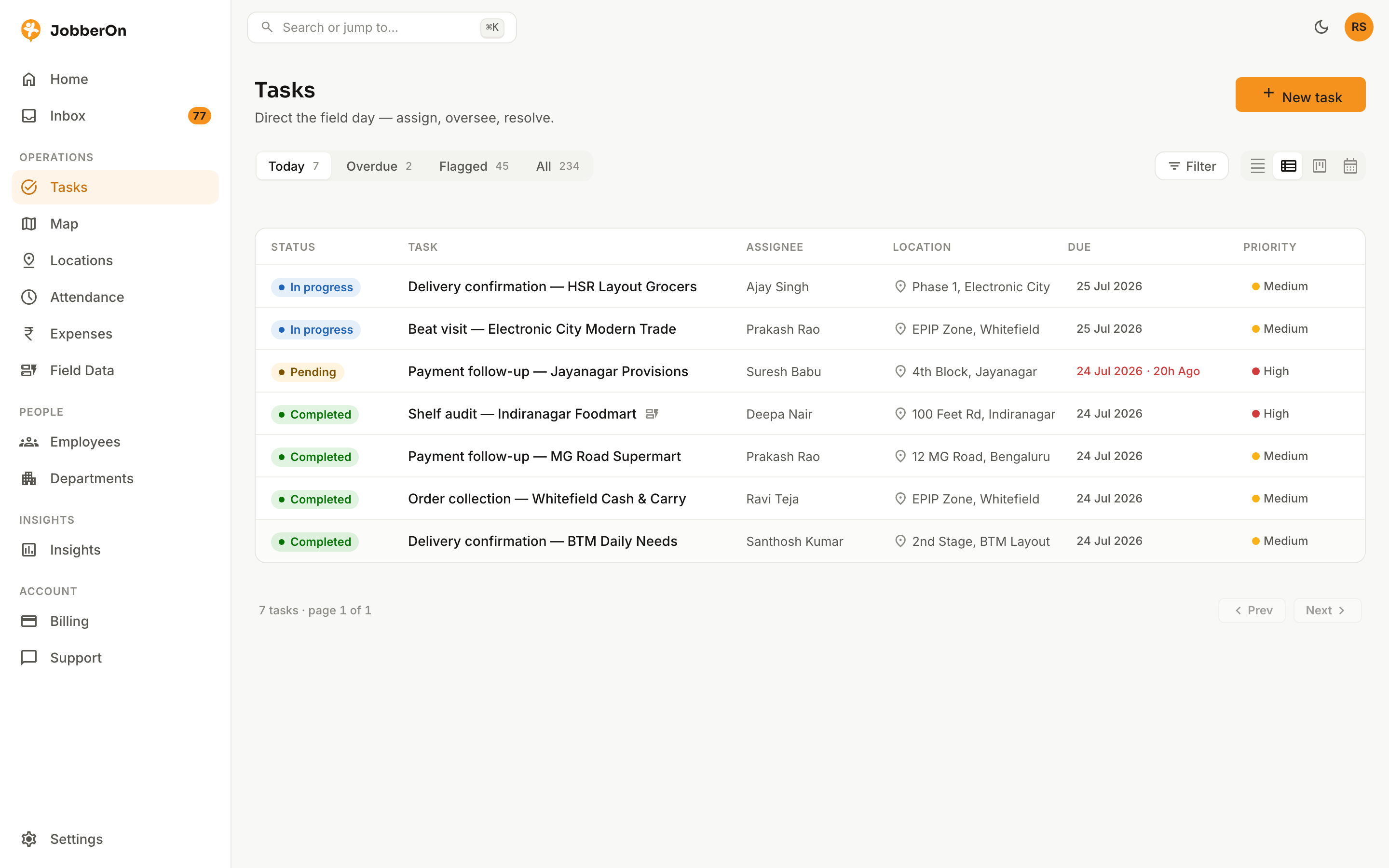
Tasks is where field work is planned and tracked. Create a task, assign it to a person and a site, attach a form or a voice note, then watch it move from assigned to done — with proof.
How to use it
- 1Open Tasks and choose List, Board or Calendar view.
- 2Click “New task” (or press N).
- 3Set the title, assignee, and location/geofence.
- 4Optionally attach a voice note and pin a form to complete on-site.
- 5Save — track progress and open any task for its full timeline.
What you can do
- List, Kanban board and calendar views.
- Filter by assignee, status and more.
- Attach voice notes; pin a custom form to a task.
- A complete, timestamped timeline per task.
- See the attached form, read-only, right on the edit screen.
- Export any task as a PDF — details, location, photos, form answers and timeline.