 JobberOn
Settings & field rules
Set your company profile, GST details and the field-verification rules new tasks inherit.
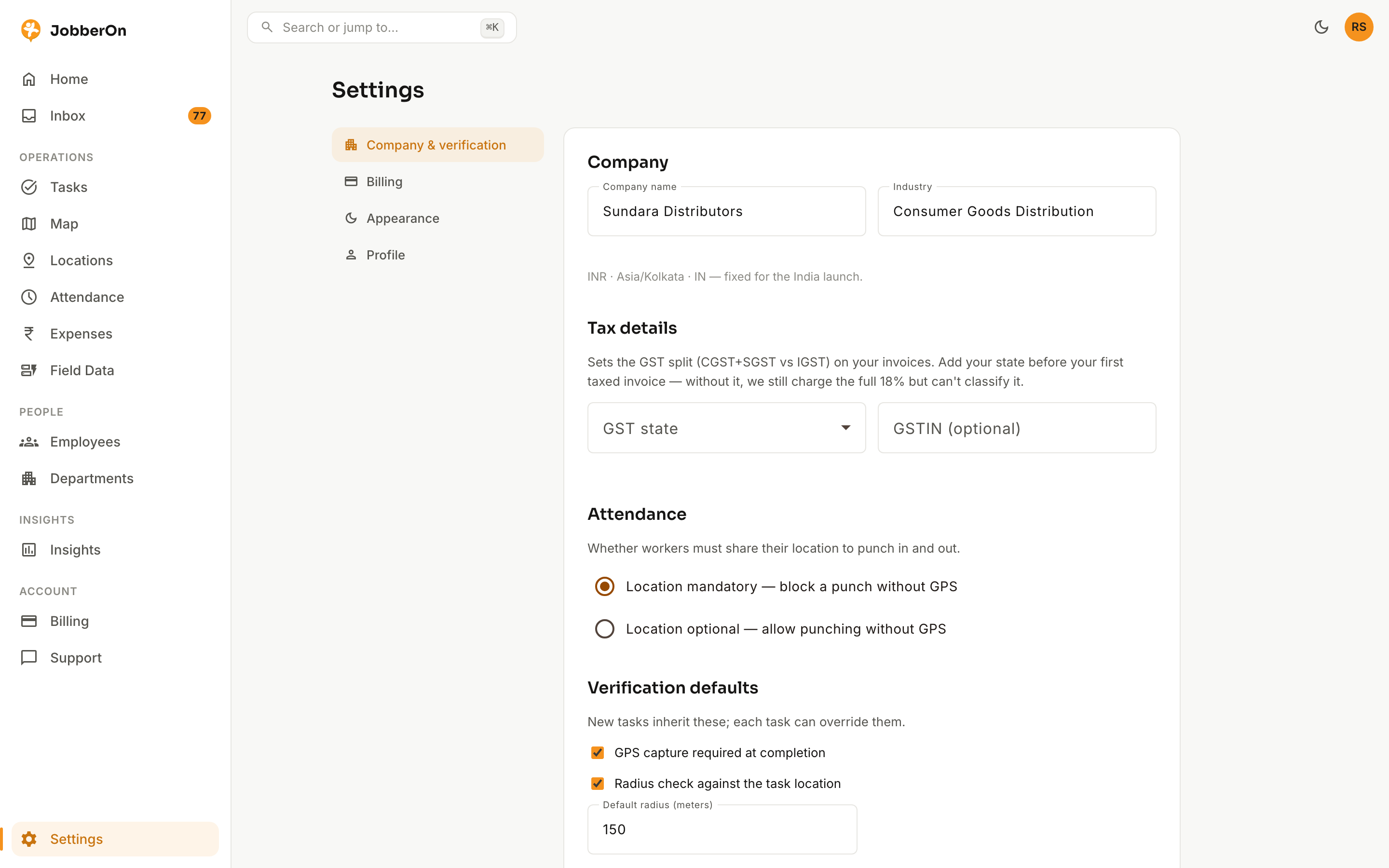
Settings is where you tune how strict field verification is: whether GPS and selfies are required to punch, the default geofence radius, plus your company profile and GST details. New tasks inherit these defaults.
How to use it
- 1Open Settings.
- 2Under Company & verification (admin), set your name, industry and GST details.
- 3Choose the field defaults: GPS required on punch and task completion, geofence radius, and selfie-on-punch.
- 4Adjust appearance (light/dark) and your personal profile.
- 5Save — new tasks pick up the defaults.
What you can do
- Company profile + GST state / GSTIN.
- Punch GPS and selfie requirements (on/off).
- Default task GPS + geofence radius.
- Appearance and personal profile.